Rack Mounting 9600 Appliances
This chapter describes how to install the Interceptor 9600 (IC) appliances in a rack.
Before you begin
Before you begin the installation process:
• Unplug the AC power cords.
• Remove all external devices and connectors.
Rail kits
This section describes how to mount the IC 9600 appliances in a four-post rack. You can use either of these rail kits to rack mount appliances. These kits are very similar and follow the same installation instructions.
The following rail kits are available:
• RMK-1-VRAIL - This kit is available as a separate item. You can adjust the rails to accommodate a 24-inch to 30-inch deep rack. When installed, the maximum rail extension is 16.7 inches (424 mm). The rails support a maximum device weight of 130 lb (59 kg).
• RMK-1-PRAIL - This kit is available as a separate item. This kit provides a premium version of the rails and doesn’t require the use of tools.
You can adjust the rails to accommodate a 24-inch to 30-inch deep rack. The rails are fully extendable to a maximum of 31.5 inches (800 mm). The rails support a maximum device weight of 54 lb (24 kg).
The RMK-1_VRAIL has the components shown in
Figure: Slide rail kit components.
Slide rail kit components
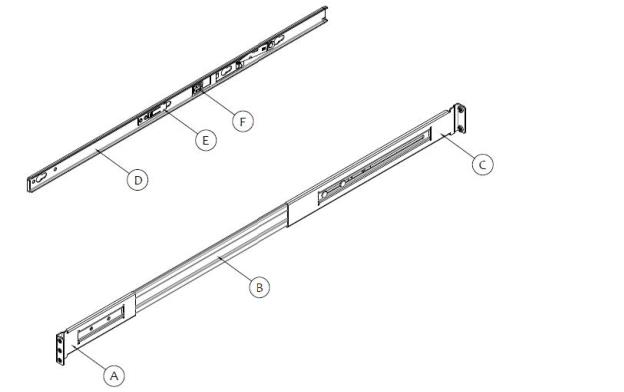
A - Front bracket | D - Inner member |
B - Outer member | E - Safety locking pin |
C - Rear bracket | F - Release button |
Ball Retainer Lock for RMK-1-VRAIL
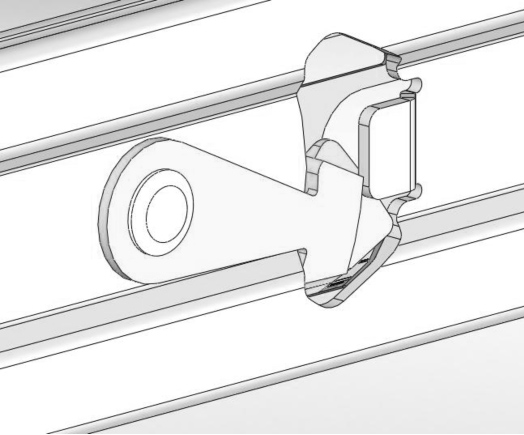
To mount a 2U appliance in a four-post rack using the RMK-1-VRAIL kit
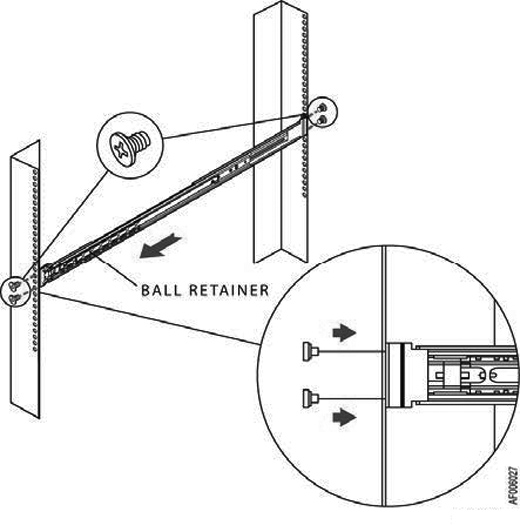
1. Install the outer rails to the rack posts.
Align the rails to the appropriate vertical position on the rack and insert the fasteners. Move the ball retainer to the front of the slide rails.
Attaching the rails to the rack
2. Install the inner members to the appliance.
Attaching the inner member (1U)
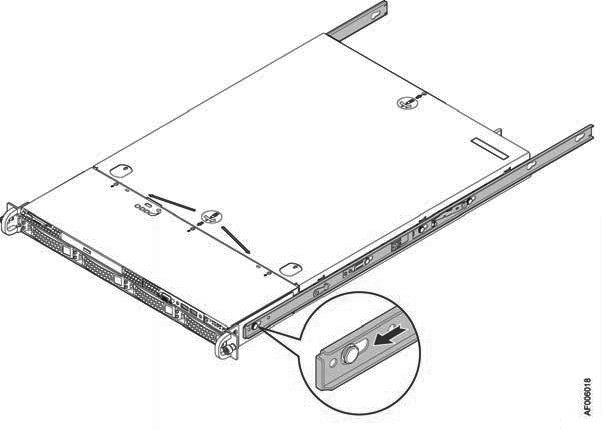
Attaching the inner member (2U)
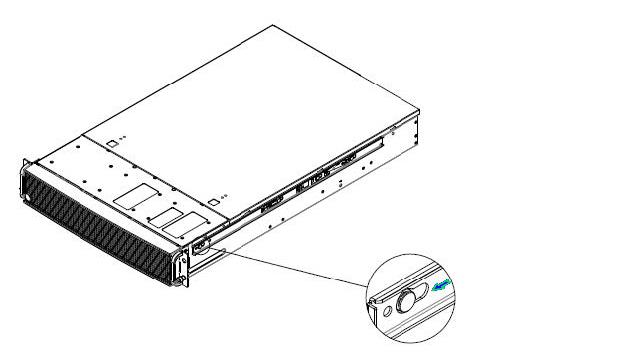
Installing the appliance to fixed slides
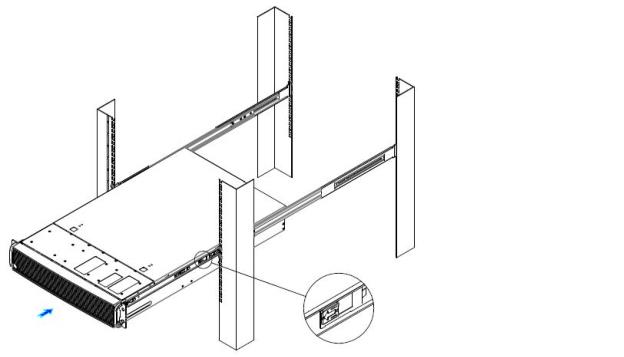
To remove the appliance
1. Fully extend the slides until they are in the locked position.
Releasing the lock
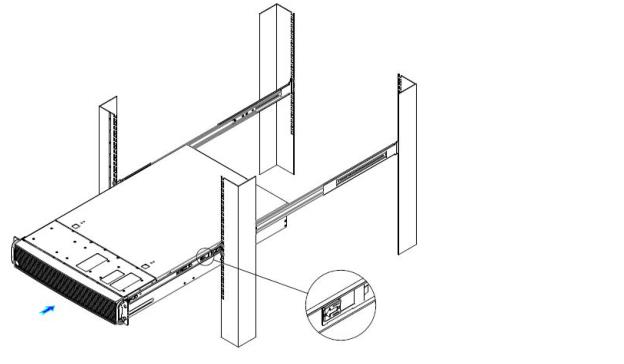
3. Remove the inner member from the appliance.
Removing the rail
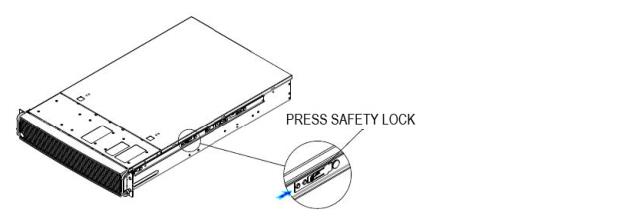
To mount a 1U or 2U appliance in a four-post rack using the RMK-1-PRAIL kit
The RMK-1-PRAIL kit doesn’t require the use of tools; however, there is an option to use a screw for added stability.
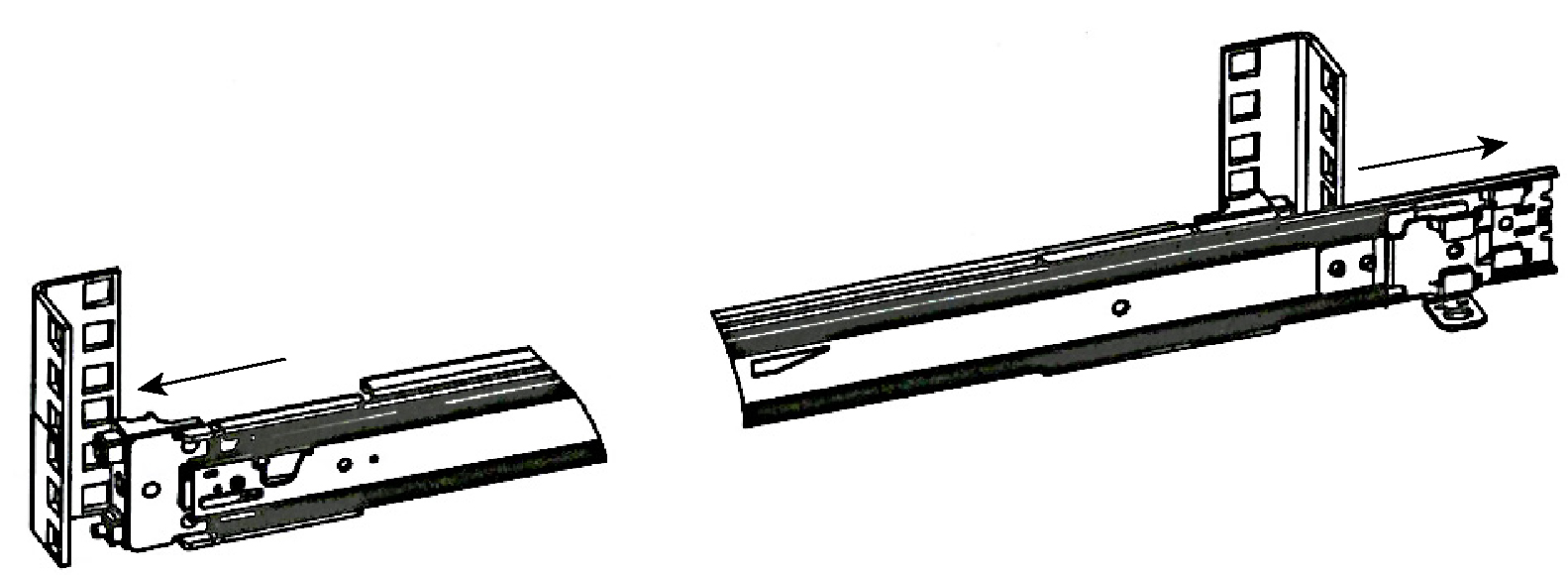
1. Attach the rails to the rack posts.
Insert the rail into the rack holes. Use the slide to move the bracket inside of the rack. Once the rail is in the correct holes, release the extendable part of the rail and the bracket will snap in place and lock. (See
Figure: Attaching the rails to the rack.)
You can use a screw on each rail for added stability.
Attaching the rails to the rack
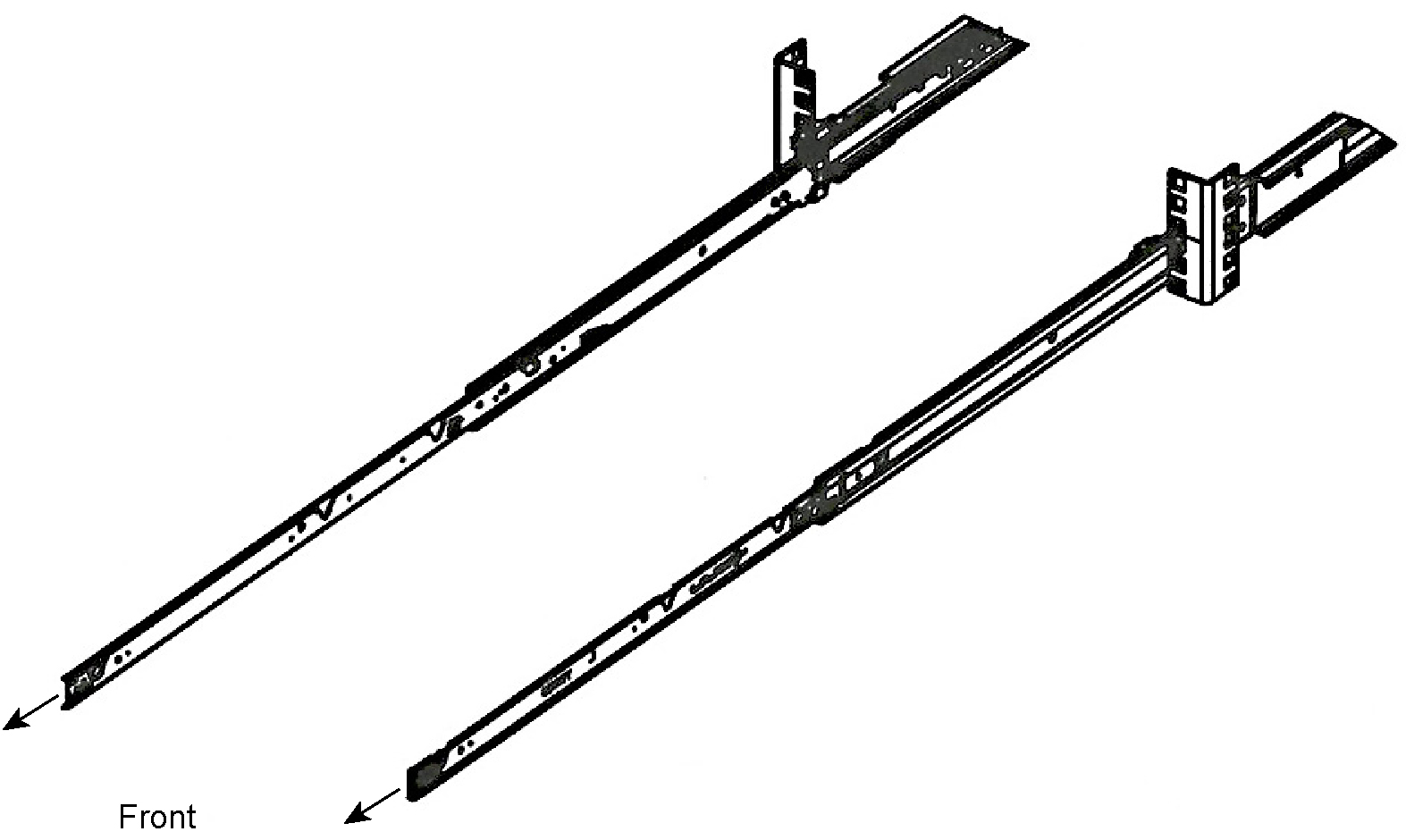
Extending the slides
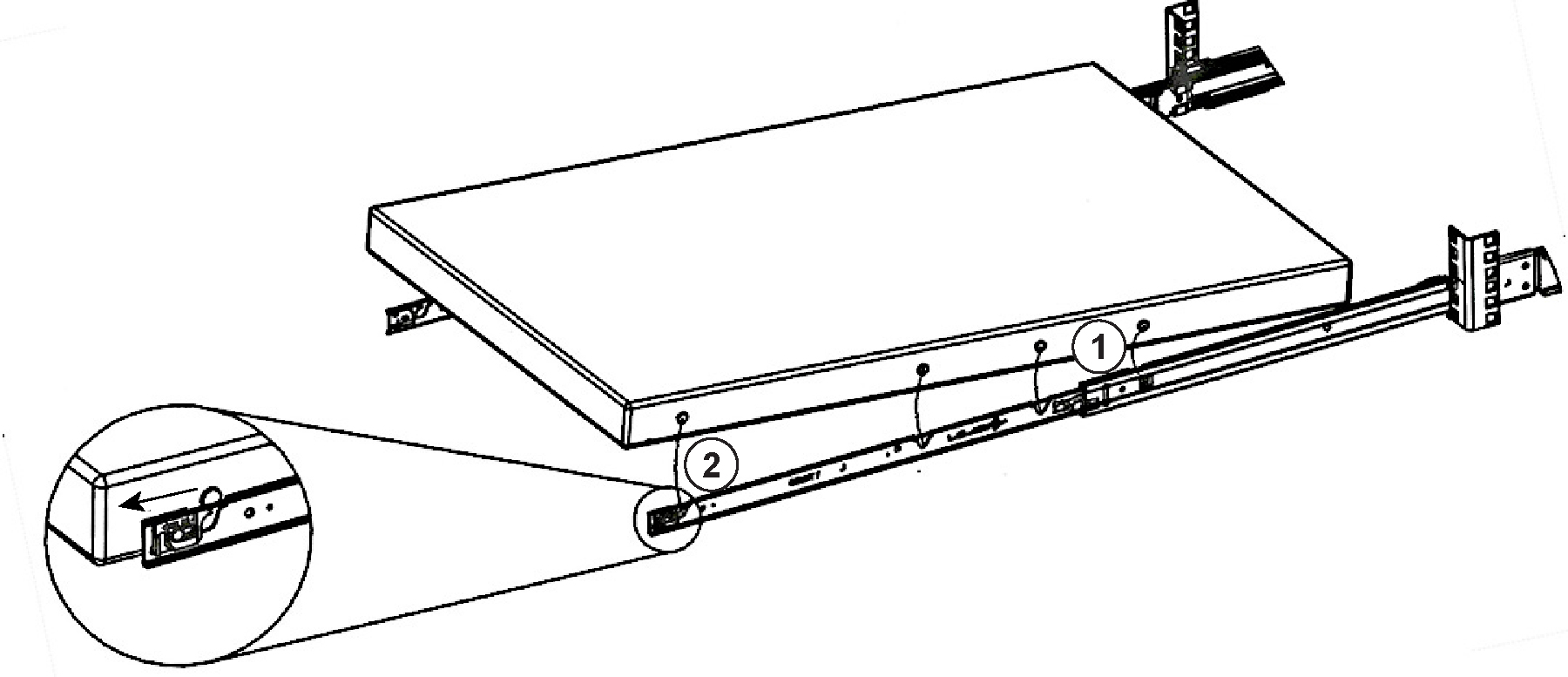
3. Position the appliance so that the keyed openings on the rails are aligned with the locating pins on the sides of the appliance. (See
Figure: Aligning the appliance.)
Aligning the appliance
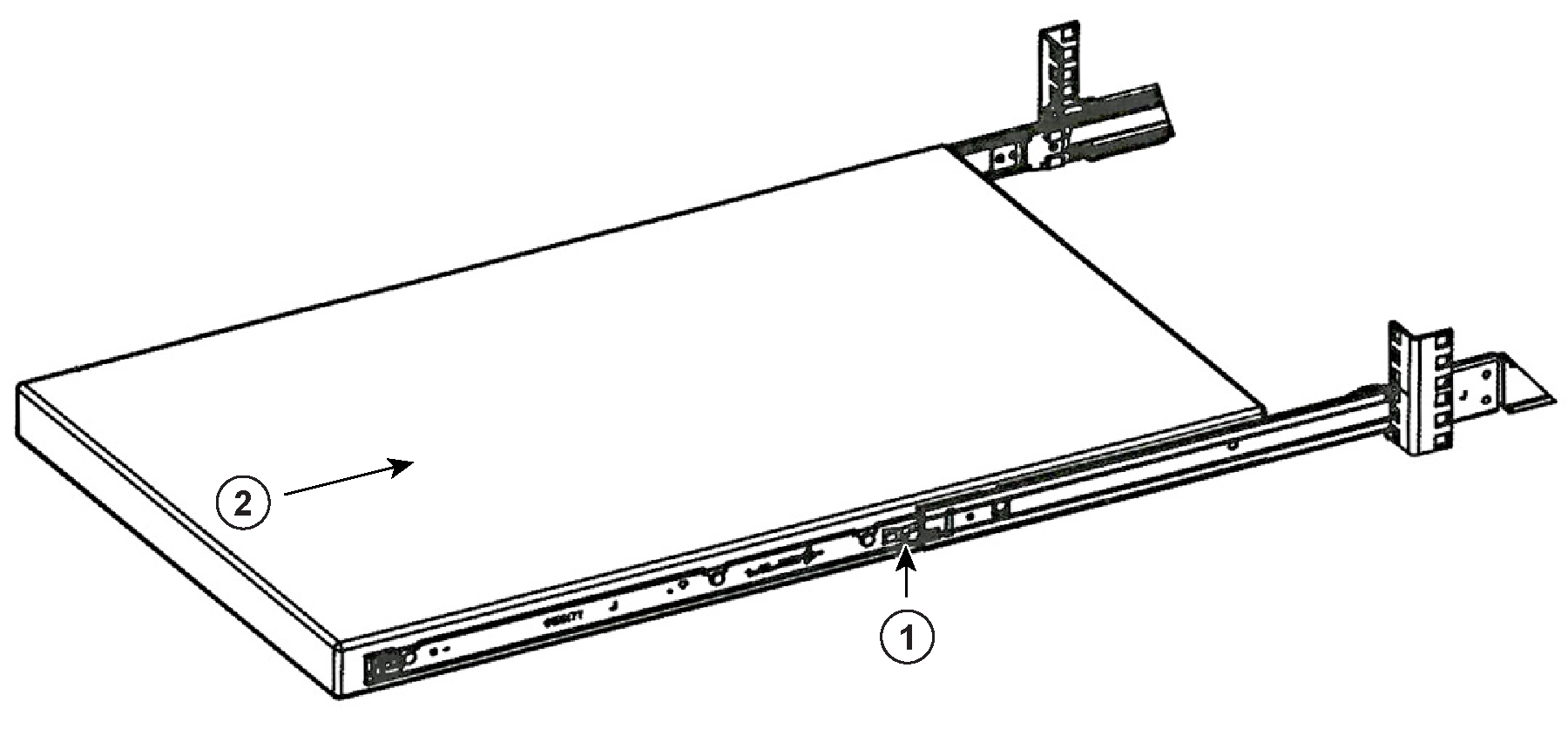
4. Start with the back of the appliance and drop the rear spool into the rail and continue until the appliance is fully positioned in the rail.
Pushing the appliance into the rack
To remove the appliance
1. Fully extend the rails.
2. Lift the appliance out of the rails and remove the appliance from rack.